

Updated: April 2026 · By Álvaro Arrescurrenaga, CEO of Voicit
Recording calls on Android has become an ordeal since 2022, when Google banned third-party apps from accessing call audio on the Play Store. As a result, today, how to record a call on Android depends on several factors. completely dependent on the brand and model of your mobile phoneSamsung has a native function (in some countries), Google Pixel has another, Xiaomi has its own, OnePlus does it differently… and apps that used to work no longer work the same.
This guide covers the actual methods by manufacturerwhen each one works, their legality under US federal and state law, and what to do if your carrier or manufacturer blocks recording. At the end, I include the special case of recruiters, salespeople and consultants that need to automatically transcribe and analyze calls.
⏱ If you only have 30 seconds:
• Google Pixel: Native recording from Phone by Google. The cleanest, includes automatic notification.
• Samsung Galaxy (Spain): native function not available In the US, you have to rely on apps or a second device.
• Xiaomi / HyperOS / MIUI: native function on most models sold in the US.
• Any Android without a native function: Cube ACR with accessibility service, or speaker + 2nd device.
• For recruiters and salespeople: Voicit Transcribes, summarizes and generates reports automatically (free trial).
In this article
- Why is it difficult to record calls on Android?
- Is it legal to record calls on Android? (federal and state law)
- Method 1: Native function per brand
- Method 2: Third-party apps (Cube ACR and accessibility)
- Method 3: Speaker + Second Device
- Method 4: Professional recording with automatic transcription
- Quick comparison
- Frequently Asked Questions
📱 Why is it so complicated to record calls on Android?
In short: Recording calls on Android is complicated because Google blocked third-party apps from accessing call audio in 2022. Now it depends on whether your phone manufacturer (Samsung, Xiaomi, Google Pixel, etc.) includes a native recorder and on your region.
To understand why there are so many different methods today, we need to know what happened between 2019 and 2022:
- Android 6 to 9 (2015-2018): Any app could record calls with standard permissions. Apps like Automatic Call Recorder They dominated the market.
- Android 10 (2019): Google shut down its call audio API for privacy reasons. Apps had to use a workaround with the speakerphone microphone.
- Android 11 (2020): That workaround also officially stopped working.
- May 2022: Google prohibited in the Play Store policy that any app using the Accessibility API to record call audio. Hundreds of apps were removed.
- 2023 onwards: Each manufacturer incorporated its own native feature into the Phone app. The problem: not all of them are available in all countries due to legal reasons.
This explains why recording a call on Android depends so much on the manufacturer, of the country and even from operatorNext, we'll see what real options you have depending on your mobile phone.
⚖️ Is it legal to record calls on Android? (US federal and state law)
In short: In the US, federal law makes it legal to record a call you take part in (one-party consent) — but 11 states, California and Florida among them, require consent from everyone on the line. Recording conversations you're not part of is illegal everywhere, and publishing a recording without permission can create civil and criminal liability.
Legality doesn't depend on the operating system: it depends on the country and whether or not you're part of the conversation. This block is identical to what would apply on an iPhone.
Spain
Under US federal law, the principle of "one-party consent"If you participate in the conversation You can legally record it without notifying the other person, and that recording is valid as evidence in court (art. 18.3 CE, jurisprudence of the Supreme Court: STS 9-11-1994, STS 6-7-2000).
Which you can't do:
- Recording a conversation that is not your own (crime under Article 197 of the Penal Code).
- Publishing or distributing the recording without consent.
- Using it commercially without authorization (state privacy laws — and GDPR if EU contacts are involved).
LATAM
- Mexico: legal if you are a party (LFPDPPP).
- Colombia, Chile, Peru: It's legal if you participate.
- Argentina: legal if you're on the call; all-party states and publishing require consent.
- Ecuador, Bolivia, Uruguay: a similar one-party consent standard.
Professional recommendation: for work use, always give notice at the beginningIt's more professional, avoids legal gray areas, and keeps you compliant in all-party consent states.
📲 Method 1: Native function by manufacturer brand
This is the cleanest way: if your Android phone has it, you don't need any apps or tricks. Let's look at it brand by brand.
Better integration
Google Pixel — recording from Phone by Google
Pixel phones have the most advanced integration because Google develops both the hardware and the Phone app. The feature is called Call Recording and it works on Pixel 3a or later in many countries — though not in the US, where Google hides the record button because of state consent laws. The US alternative: Google Voice records incoming calls for free (press 4 during the call).
Steps:
- During a call, tap the button "Engrave" that appears on the call screen.
- Pixel plays an automatic notification to both parties: "This call is being recorded".
- To stop, tap "Stop recording"The warning plays again.
- The recording is saved in the app. Recorder from Google, which also generates automatic transcription with speaker identification.
Note: In some countries, Pixel only allows recording saved contacts (not unknown numbers). Settings → Call recording → enable "Always record" for specific numbers.
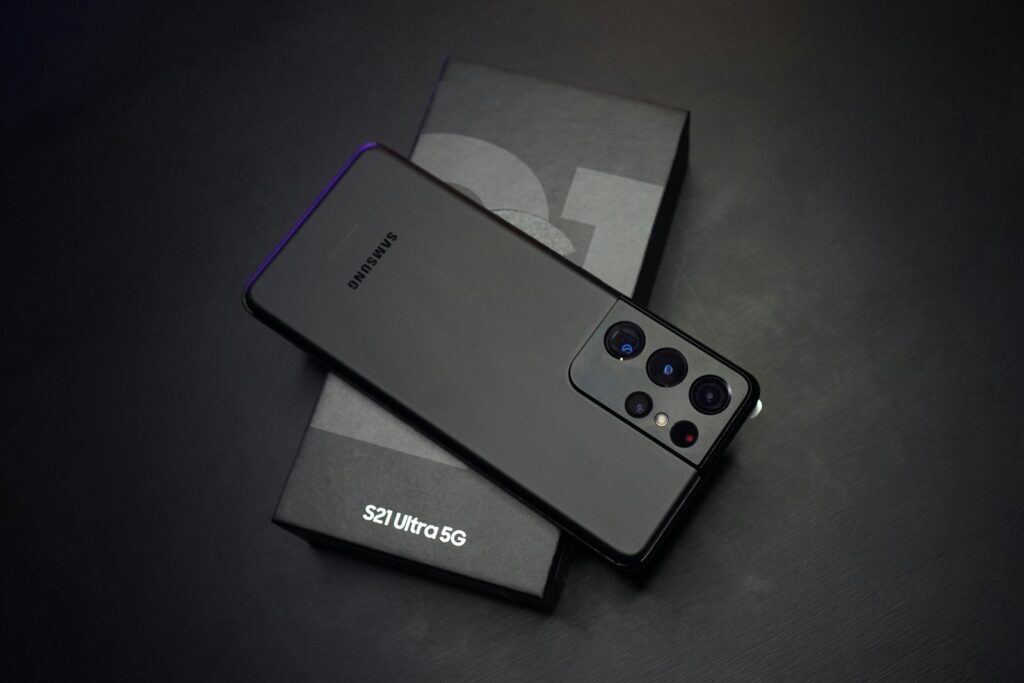
Samsung Galaxy — depends on the country
Samsung includes native call recording in the Phone app, But it is not available on phones sold in the US or most of Western Europe Due to legal reasons established by Samsung for each region. It does work in India, Türkiye, Morocco and some Latin American markets — but not on phones sold in the US or Western Europe.
On models sold in the USThe option simply doesn't appear. Known workarounds (changing the CSC region) void the warranty and we don't recommend them. If you have a US Samsung device, use the methods with apps or the one of speaker + second device.
In countries where it works:
- During the call, tap "More" → "Record".
- The recording is saved in My Files → Internal Storage → Call.
- Samsung notifies both parties automatically.
Usually available in the US (unlocked)
Xiaomi — native recording in MIUI and HyperOS
Xiaomi has historically been one of the most permissive manufacturers for call recording. On most Redmi and Xiaomi models, the feature is enabled by default in HyperOS and recent MIUI versions — and since Xiaomi phones reach the US unlocked rather than through carriers, recording usually works on them.
Steps:
- Open Settings → System apps → Calls → Call recording.
- Activate "Record calls automatically" or leave it manual.
- During the call, tap the button "Engrave".
- The recordings are saved in the app Recorder or in Storage → MIUI → sound_recorder → call_rec.
OnePlus — Native Recording (starting with OxygenOS 13)
OnePlus has included native recording in the Phone app since OxygenOS 13 (2022). It works in most markets, including the US on most recent unlocked models.
Steps: During the call, tap the button Record in the interface. The recordings are saved in Files → Recorder → Call Recordings.
Huawei and Honor
Huawei (with HarmonyOS or EMUI) and Honor (MagicOS) include native call recording on most models sold outside the United States — in the US they're only found as imports. It is activated from Settings → Dial → Record calls.
🧰 Method 2: Third-party apps with accessibility service
Cube ACR (and similar) — the only legal way via app
Since the ban in May 2022, Google no longer allows call recording through the Accessibility API in apps uploaded to the Play Store. Cube ACR It remains the most used app: it technically works as before, but Cube is no longer distributed through the official Play Store for new installations, only through its own channels. official website (Direct APK).
How it works:
- Download Cube ACR from getcube.com.
- Install the app (allow installation from unknown sources).
- Cube ACR asks to activate its accessibility serviceAccept.
- During calls, Cube records automatically (or manually if you prefer).
- The audio is saved in the app, with the option to export to MP3 or share.
- It works on Android without a native function.
- Optional automatic recording
- Export to MP3
- It works with VoIP (WhatsApp, Telegram) on some models
- It must be installed via APK, not the Play Store.
- Quality varies depending on the manufacturer and model.
- Google may break the workaround in future versions of Android
- The accessibility service must always be active
⚠️ Important: Installing apps via APK from outside the Play Store carries security risks. Only use the developer's official website. For sensitive information, consider the manufacturer's native method or Method 4 with professional transcription.
🎙️ Method 3: Speaker + second device (without apps)
The universal method
It works on any Android device, any version, regardless of manufacturer, carrier, or Play Store. The quality is the lowest of the four methods, but it's functional. 100% legal, 100% offline and 100% compatible.
How to do it right
- Open a recording app on a second device (another mobile phone, tablet, Zoom H1 recorder, or Mac).
- Choose a place without echo and without background noise.
- Place the second device about 15-20 cm from the mobile who will make the call.
- Activate the speakerphone when starting the call.
- Start recording on the second device before the other person answers.
- When finished, export the audio wherever you need it.
- 100% compatible with any Android device
- No external servers or additional apps required.
- It works with WhatsApp, Zoom, Meet, and traditional calls.
- Free
- Audio quality inferior to the native method
- You need a quiet place
- The other person hears the call on speakerphone (it's not disguised)
- Requires a second device
🚀 Method 4: Professional recording with automatic transcription
When recording is just the first step
The three methods above are useful for engraveBut if you are recruiter, salesperson, consultant or journalistThe bottleneck isn't recording: it's transcribe, summarize, and extract key data of each call without losing an hour for each one.
This is where specialized AI platforms come in. The flow is simple:
- The call is recorded on Android (any method: manufacturer's native, Cube ACR or speaker).
- She uploads it to an AI transcription platform built for professional conversations.
- In 2-3 minutes you get a transcript with timestamps, speaker identification, executive summary and structured data (name, company, position, objections, decisions).
The case of the HR recruiter
A recruitment consultancy conducts 8-12 interviews per week. If they record with an Android device (Pixel or Xiaomi), they still have to listen to each call again, write the structured report detailing skills, experience, and cultural fit, and compare candidates. Voicit You can upload the recording and directly obtain the report in consultant template format, reducing the time per candidate from 1 hour to 5 minutes.
Advantages over simply recording
- Professional transcription in Spanish (95% accuracy in English and Spanish)
- Automatic summaries and structured reports, not just text
- Customized templates by call type (interview, demo, client meeting)
- Integration with CRM / ATS (HubSpot, Salesforce, Greenhouse)
- Semantic search across all your calls
- EU-based servers, fully GDPR compliant (a plus for strict privacy policies)
When the mobile app is not enough
All of the above works for recording an occasional call. The problem arises
When recording is part of your job, and it stems from something that doesn't depend on the app you choose:
Android and iOS deliberately restrict call recordingGoogle shut down
The access used by third-party apps was not opened by Apple until iOS 18.1, with voice prompts.
mandatory. That's why recording apps appear and disappear from app stores, and that's why
So many stop working after a system update.
If you record one call per month, you can live with it. If you record interviews or visits...
Commercials every week; every mistake is a conversation lost forever. If what you're recording are telephone interviews of candidatesVoicit differentiates who is the candidate and who is the interviewer and generates a report for each call.
| Mobile app | Dedicated recorder | |
| It depends on the system. | Yes: Android and iOS restrict recording and change the rules with each version | No: it records on its own, independently of the phone |
| It falls short | It's common: the app stops working after an update. | No update will break it |
| Quality | The one about the phone's microphone, with the app competing for it | Custom microphone designed for voice |
| In-person meetings | Bad: the phone on the table only gets partial reception | It is placed on the table and captures the room |
| What do you have left when you hang up? | An audio file | Transcription and reporting, if you connect it to a Voicit account |
That is the reason for Voicit Go: a recorder of
7.80 mm that attaches magnetically to the back of your phone (directly on an iPhone with MagSafe; on Android, with the included magnetic ring) to record calls, and that you can leave
on the table for an in-person meeting. It records on its own, with no apps, so
no system update can leave you without the recording. It includes 1 month of Voicit Pro
so that every recording comes back as a transcript and a report; afterwards, the plan is optional and
can be cancelled anytime.
Transparency: Voicit Go is our product. If
If you record sporadically, the free methods above work perfectly for you and you don't
You don't need to buy anything.
Do you run screening interviews by phone? This is how to record them and turn them into a candidate report →
Already have the recording?
Upload your audio and get AI-powered transcription in minutes, with each participant identified and a report with your template. No installation required.
📊 Quick comparison
In short: The first thing to check is if your device has a built-in recorder: it's the cleanest option. If not, you're left with apps that have (irregular) accessibility permissions or recording through the speaker with a second device. For professional use, a dedicated recorder avoids all these limitations.
| Method | Cost | Compatibility | Quality | Transcription | Ideal use |
| Native Pixel/Xiaomi/OnePlus | Free | Only brands with native functionality | High | Basic (Pixel only) | Personal use |
| Samsung Galaxy (US) | — | Not available in the US | — | — | Use another method |
| Cube ACR (APK) | Free | Android 10+ (variable) | Medium | Not included | Mobile phones without native function |
| Speaker + 2nd device | Free | Universal | Medium | Not included | Any Android without a function |
| Native + Voicit | Try it free | Any Android | High | Professional + summary + templates | Recruiters, salespeople, consultants |
❓ Frequently Asked Questions
Why doesn't my Samsung have the option to record calls?
Samsung disables call recording on phones sold in the US and most of Western Europe — a business and legal decision, not a technical limit. Workarounds involving changing the CSC region are unstable and may void the warranty. If you have a US Samsung device, use Cube ACR or the speakerphone method.
Will Cube ACR still be working in 2026?
Yes, but with limitations. After the Play Store ban in 2022, Cube is primarily distributed via APK directly from its website. It works on many Android models, although quality and availability vary. It's not a stable long-term solution because it relies on accessibility services.
Can I record WhatsApp calls on Android?
With the manufacturer's native function no (Only captures calls from the Phone app.) Cube ACR can capture VoIP calls on some models. The most reliable method remains the speakerphone + second device method, or recording the screen with Android's native screen recording feature.
Where are recordings stored on Android?
It depends on the manufacturer. Google Pixelwithin the Recorder app. Xiaomi, in MIUI/sound_recorder/call_rec. In Samsung (where it works), in My files → Call. In OnePlus, in Recorder → Call Recordings.
Is it legal to record calls on Android in the US?
Under federal law, yes — if you take part in the conversation (one-party consent). Eleven states, including California, Florida and Washington, require everyone's consent, so announce the recording when in doubt. Publishing or using a recording commercially without permission is illegal everywhere.
Can you record calls on Android without root access?
Yes, all the methods in this guide work without root access. Rooting has security risks and voids the warranty. It's not worth it just for recording calls.
How do I automatically transcribe a recorded call on Android?
Google Pixel offers automatic transcription in the native Call Recorder app. For structured summaries, automated reports, and professional templates by call type (interview, demo, meeting), Voicit is the most complete option for professional teams.
Check out our sister guide: How to record calls on iPhone in 2026: a step-by-step guide (legal, easy, and no jailbreak) — with the native method of iOS 18.1, third-party apps and legality Spain/LATAM.
Do you use an iPhone? Check it out How to record calls on iPhoneAnd if you want to compare apps, here you go. the best apps for recording callsAnd if you're recording meetings, you have the step-by-step instructions for transcribe video calls from Meet, Teams, and Zoom and for record face-to-face meetings.
✅ Conclusion
Recording calls on Android in 2026 is an exercise in knowing your phone: if you have Google Pixel, Xiaomi, OnePlus or HuaweiYou most likely have the native function in the Phone app, and that's the easiest way. If you have Samsung SpanishThe function is unavailable and you have to resort to Cube ACR (direct APK) or the speakerphone method. And if you record for work — recruiter, salesperson, consultant, journalist — combine the recording with an AI platform that transcribes in English and Spanish, like Voicit That's what really saves you hours each week.
Want to try out how to automatically transcribe and summarize a recorded call with Android? Try Voicit for free, without a credit card.

Álvaro Arrescurrenaga
CEO and co-founder of Voicit
For over two years we've been helping HR, consulting and sales teams — including bilingual English/Spanish teams across the US and Latin America — get more out of their conversations with AI. Voicit transcribes, summarizes and structures any meeting or call.
📌 Looking for a device to buy? Compare the Best AI voice recorders and alternatives to Plaud.
Free templates and tools
Need to write up the meeting? Get our meeting minutes template in Word and PDF, with a step-by-step guide on how to write meeting minutes. Already have the recording? Transcribe video to text or transcribe audio to text with AI.
Looking for AI recruiting tools?
We compared 13 AI recruiting tools by hiring stage: sourcing, screening, scheduling, interview and report, and ATS, with what each one automates and real pricing.